วันอังคารที่ 9 กรกฎาคม พ.ศ. 2556

Facebook Data Center

Facebook Data Center 

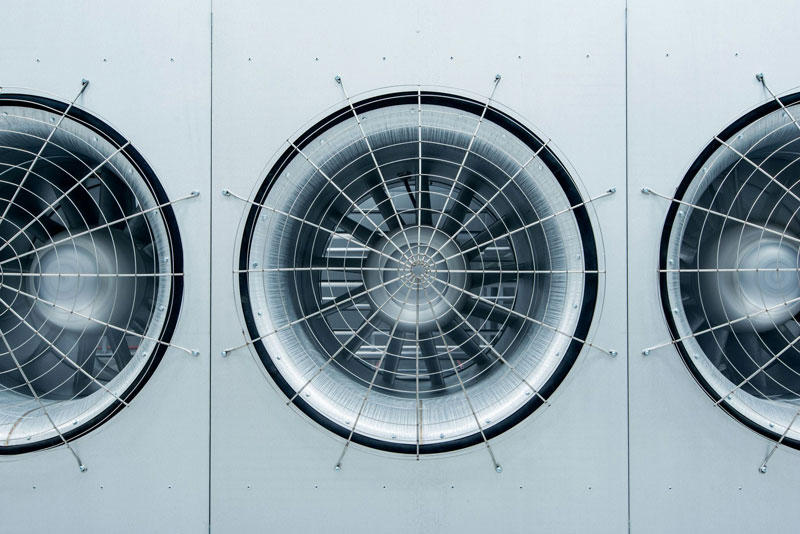
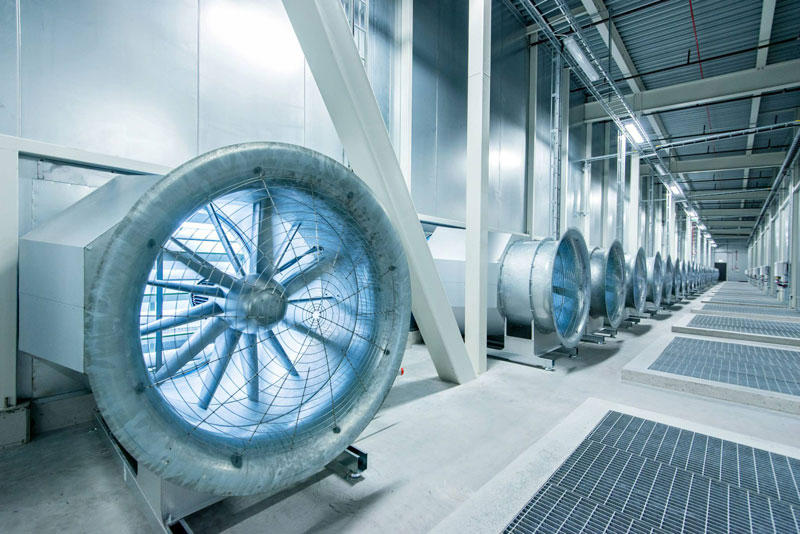
At the edge of the Arctic Circle in Lulea (Sweden) is the newest data center Facebook. The Center handles data about users of social networks around the world. 
ณ ชายขอบของเส้น Arctic Circle  (เขตอากาศหนาวเหนือ ตั้งแต่เส้นอาร์คติค เซอร์เคิล (Arctic Circle) ถึงขั้วโลกเหนือ เขตนี้ได้รับแสงเฉียงจากดวงอาทิตย์ปีละไม่เกิน 6 เดือน เป็นเขตที่มีประชากรอาศัยอยู่เบาบาง)  เมือง Lulea  ประเทศ Sweden เป็นศูนย์ข้อมูลแห่งใหม่ของ Facebook  ศูนย์ข้อมูลแห่งนี้เก็บข้อมูลของผู้ใช้เครือข่ายสังคอมออนไลน์จากทั่วโลก  (น่าจะรวมเด็กนักเรียนของเราด้วยแน่นอน เพราะเด็กเราชอบและใช้ Facebook กันมหึมามหาศาล จนอาจจะเรียกได้ว่า เป็นกิจวัตรประจำวันไปซะแล้ว)

BIGPIC26 Центр обработки данных Facebook возле Полярного круга 


FBDataCenter01 Центр обработки данных Facebook возле Полярного круга
1. Data center in Lulea became the first data center outside of the U.S..
ศูนย์ข้อมูลแห่งนี้ เป็นศูนย์ข้อมูลแห่งแรกของ Facebook นอกประเทศสหรัฐอเมริกา

FBDataCenter02 Центр обработки данных Facebook возле Полярного круга
2.
FBDataCenter03 Центр обработки данных Facebook возле Полярного круга
3. Facebook Guide believe that Lulea is likely to be one of the most efficient and sustainable data centers in the world.
Facebook เชื่อว่า ศูนย์แห่งนี้จะมีทรงสิทธิภาพ และเก็บข้อมูลได้อย่างยั่งยืนสุดๆ

FBDataCenter04 Центр обработки данных Facebook возле Полярного круга
4.
FBDataCenter05 Центр обработки данных Facebook возле Полярного круга
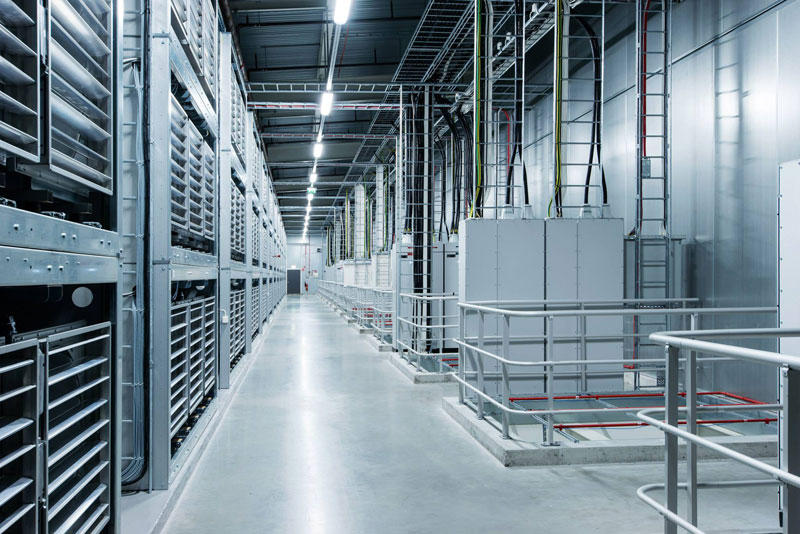
5. All the equipment in the center provides electricity to the local hydroelectric power plant that runs on renewable energy, thus reducing the number of backup generators for more than 70%.
อุปกรณ์ทั้งหมดในศูนย์แห่งนี้ จะใช้ไฟฟ้าจากพลังงานสะอาด คือจากโรงไฟฟ้าพลังน้ำที่อยู่ในท้องถิ่น ซึ่งเป็น renewable energy (พลังงานหมุนเวียน)  จึงสามารถลดจำนวนเครื่องกำเนิดไฟฟ้าสำรอง (backup generators) ได้ถึงร้อยละ 70

FBDataCenter06 Центр обработки данных Facebook возле Полярного круга
6.
FBDataCenter07 Центр обработки данных Facebook возле Полярного круга
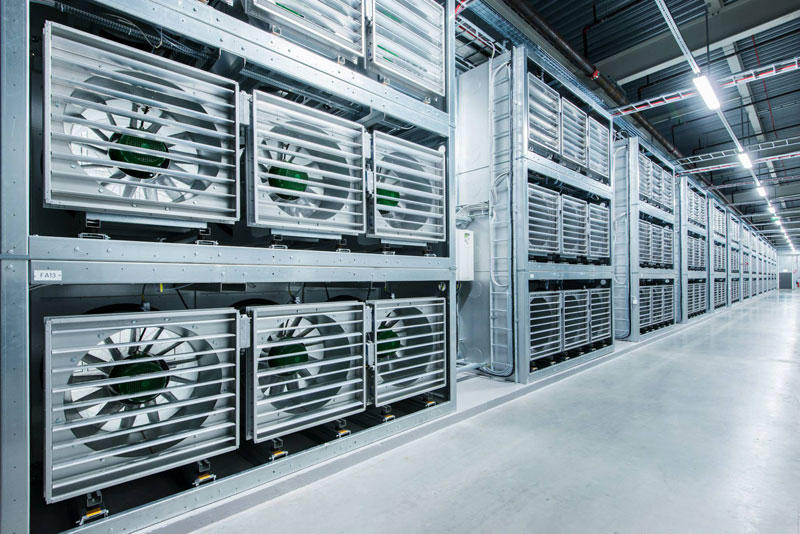
7. In addition to the energy of the water, the center is also used by the northern cold air to cool the servers that store photos, videos, comments and "likes." Any excess heat is used to maintain a comfortable temperature in offices. 
นอกจากพลังงานสะอาดที่ได้จากไฟฟ้าพลังน้ำแล้ว  ศูนย์ข้อมูลแห่งนี้ ก็ยังอาศัยอากาศหนาวที่พัดมาจากขั้วโลกเหนือช่วยระบายความร้อนจากเครื่อง Servers (เครื่องแม่ข่าย) ของศูนย์ฯ ที่เก็บรูปภาพ วิดีโอ และ comments และ likes ของผู้ใช้เฟสบุ๊คจากทั่วโลก  และที่สำคัญความร้อนที่เกิดจากการทำงานของระบบเหล่านี้ จะถูกนำไปสร้างความอบอุ่นในสำนักงานอีกด้วย (เพราะอากาศที่โซนนี้หนาวมากนั่นเอง ตามที่กล่าวแล้ว)
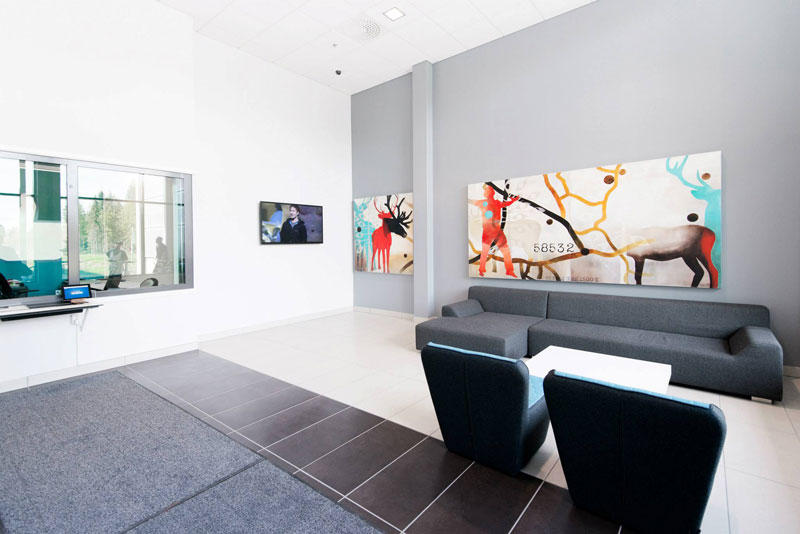
FBDataCenter08 Центр обработки данных Facebook возле Полярного круга

8.

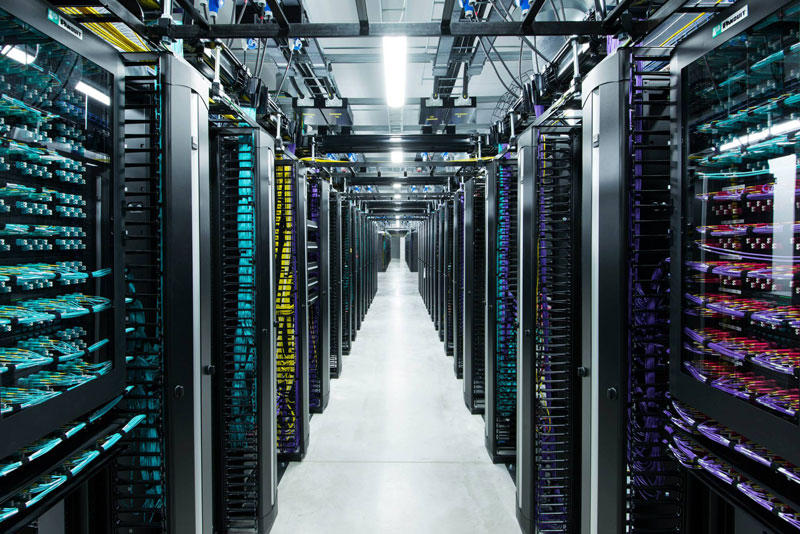
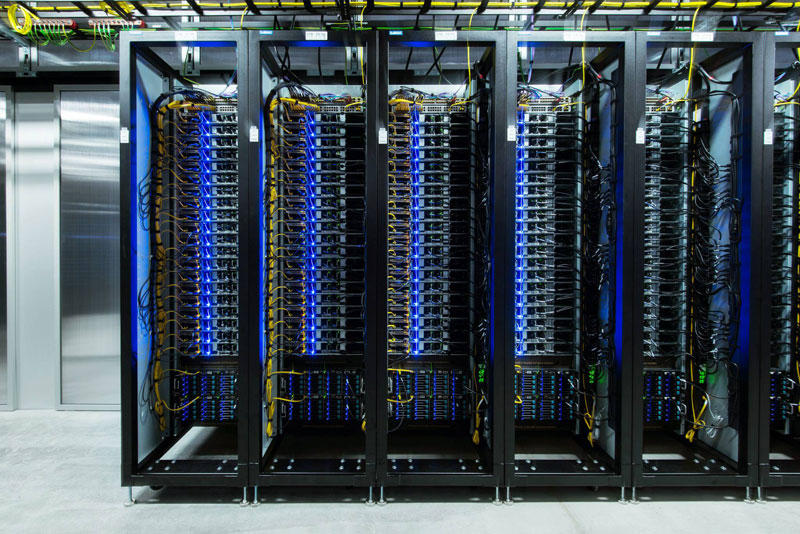
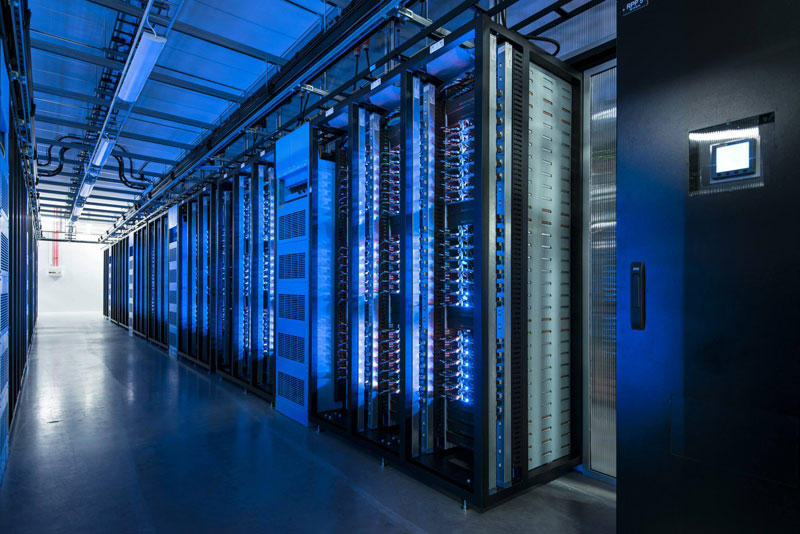
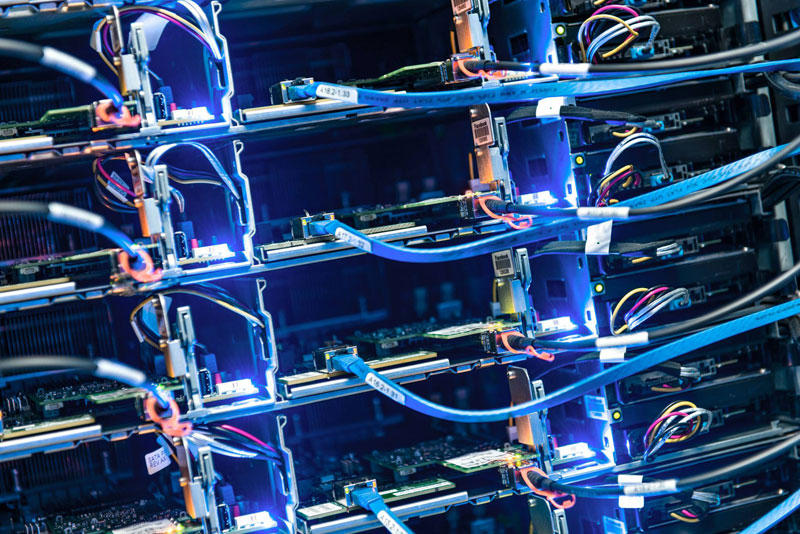
9. Almost all of the technology at the center, from servers to power distribution systems, based on the work of Open Compute Project - community of engineers from around the world, which is engaged in designing storage centers.
FBDataCenter09 Центр обработки данных Facebook возле Полярного круга
เทคโนโลยีของศูนย์ข้อมูลแห่งนี้  ตั้งแต่เครื่องคอมพิวเตอร์แม่ข่าย (servers) ทั้งหลาย ไปจนถึงระบบการกระจายข้อมูล (distribution systems) จะทำงานอยู่บน Open Compute Project ซึ่งเป็นระบบเปิดที่ให้วิศวกรของระบบเฟสบุ๊กจากพื้นที่ต่างๆ ทั่วโลก สามารถเข้ามาใช้งานร่วมกันได้  
FBDataCenter10 Центр обработки данных Facebook возле Полярного круга

10.
FBDataCenter11 Центр обработки данных Facebook возле Полярного круга

11. 


FBDataCenter12 Центр обработки данных Facebook возле Полярного круга

12.
FBDataCenter13 Центр обработки данных Facebook возле Полярного круга

13. 


FBDataCenter14 Центр обработки данных Facebook возле Полярного круга

14.
FBDataCenter15 Центр обработки данных Facebook возле Полярного круга

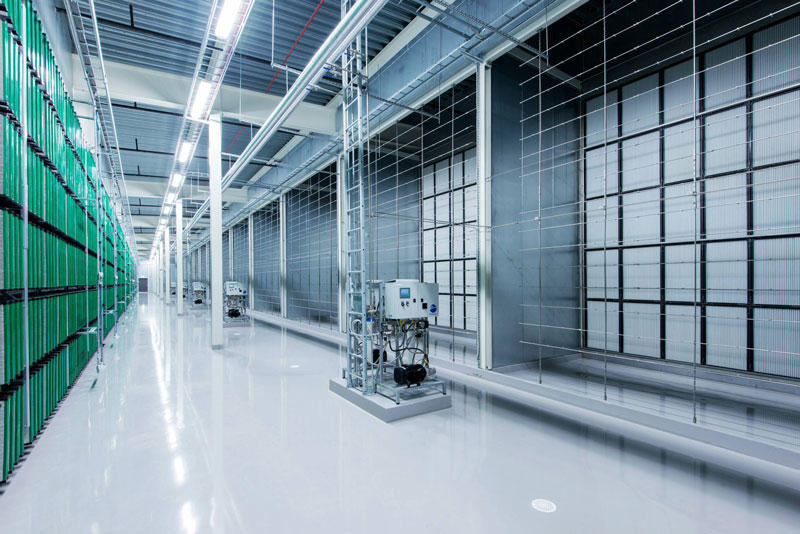
15. During the first week of work, the coefficient of efficiency of energy consumption in the new center Facebook was 1.07.
ในสัปดาห์แรกของการใช้งาน the coefficient of efficiency of energy (ค่าสัมประสิทธิ์การบริโภคพลังงาน) เท่ากับ 1.07
FBDataCenter16 Центр обработки данных Facebook возле Полярного круга

16.
FBDataCenter17 Центр обработки данных Facebook возле Полярного круга

17.
FBDataCenter18 Центр обработки данных Facebook возле Полярного круга

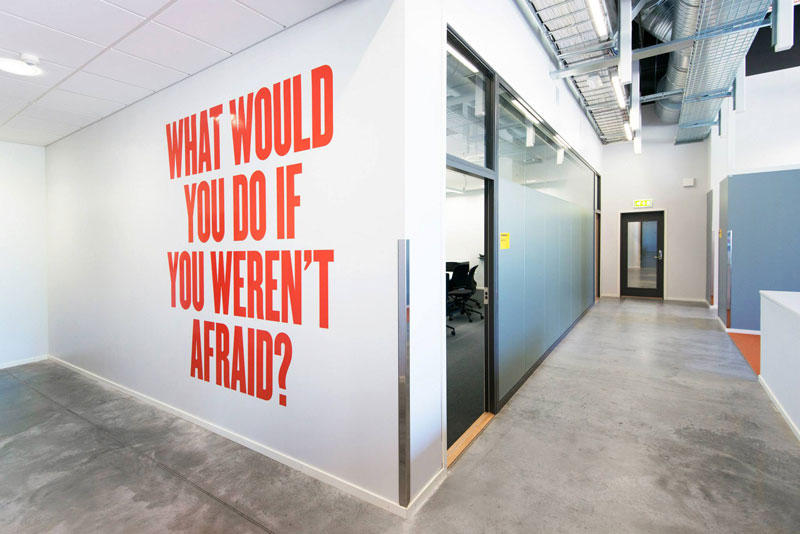
18. The inscription on the wall of the center: "What would you do if you have nothing to be afraid of?"
คำจารึกที่ผนังกำแพงของศูนย์ "คุณจะทำอะไรดีเอ่ย ถ้าไม่มีอะไรที่ทำให้คุณกลัว?"
FBDataCenter19 Центр обработки данных Facebook возле Полярного круга
19.
FBDataCenter20 Центр обработки данных Facebook возле Полярного круга

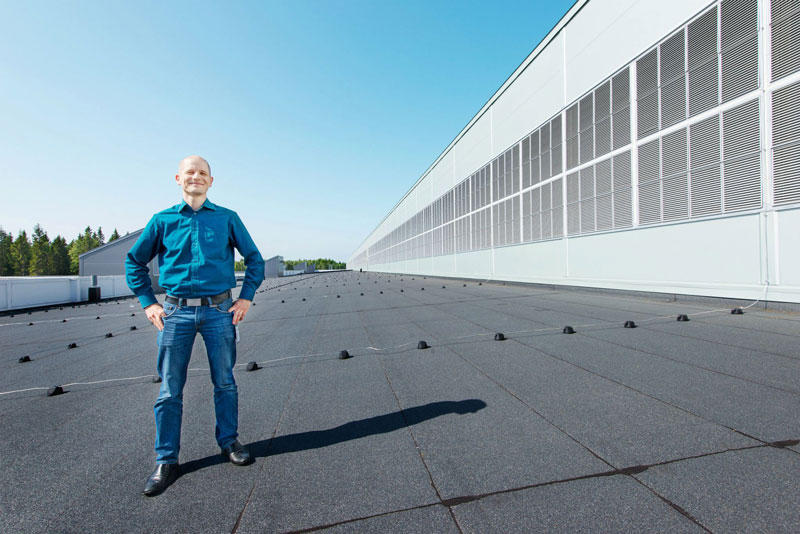
20. Center Manager - Joel Kelgren.  ผู้จัดการศูนย์

Google Data Centers ศูนย์ข้อมูลของ Google

Google has provided us with a rare opportunity to see their data centers around the world, thanks to which every day we can use the services of this global Internet company. This is a real maze of servers that handle online queries into a search engine, show us a video on YouTube, and deliver emails to millions of people. Hundreds of thousands of servers, colorful cables and even bicycles to move the employees of the centers - in this collection you will find and data centers in the former paper mill in Finland, and specially designed server centers in Iowa, USA. 


Inside the internet 1 Дата центры Google
1. Few people have seen data centers Google, and for good reason, because the most important - is the security of our data.Therefore, each center is carefully protected.


Inside the internet 2 Дата центры Google
2. Despite the large number of Google employees around the world, only a handful of insiders has access to the servers.


Inside the internet 3 Дата центры Google
3. Now you can see the first images which capture the people, places and equipment, through which runs Google. 
ภาพแรกๆ ที่เราเห็นจะทำการจับภาพผู้คน ตำแหน่งที่อยู่ และอุปกรณ์ ซึ่งจะรันผ่านกูเกิล

Inside the internet 4 Дата центры Google
4. In this post photos provided eight data centers in the U.S., Finland and Belgium. 
ศูนย์คอมพิวเตอร์ของกูเกิล  8 ศูนย์ ในสามประเทศคือ สหรัฐอเมริกา  ฟินแลนด์ และเบลเยียม


  1. Inside the internet 5 Дата центры Google

5. Now Google is also building data centers in Hong Kong, Taiwan, Singapore and Chile.

Inside the internet 6 Дата центры Google
6. Surprise! Hmm, so this is what the guards in the data centers Google.
นี่เป็นการ์ดเฝ้าศุนย์ข้อมูลของกูเกิลเขาล่ะนะ

Inside the internet 7 Дата центры Google
7.Takzhe to share Google's 'Street View' you can take a virtual tour of the data center in North Carolina.
ศูนย์ที่มลรัฐนอร์ธแคโรไลนา

Inside the internet 8 Дата центры Google
8. One of the many server data center in Iowa, USA, where the routes and switches allow data centers to communicate with each other. Fiber-optic cable connecting the server mounted on the ceiling.

Inside the internet 9 Дата центры Google
9. Even the lines in the centers painted in company colors Google. For these colorful water pipes travels around the center in Oregon. Blue pipes supply cold water, red - hot water is returned to a special chamber that it has cooled down.

Inside the internet 10 Дата центры Google
10. In Hamina, Finland, Google has decided to restore the old paper mill and stay on its territory, not far from the cool waters of the Gulf of Finland.

Inside the internet 11 Дата центры Google
11. Google server center in Douglas, Iowa.  

Inside the internet 12 Дата центры Google
12. This server facility in The Dalles, Oregon, USA.

Inside the internet 13 Дата центры Google
13. Dennis Harwood, an engineer Google, diagnoses overheated processor. For more than 10 years, Google has built some of the world's most powerful servers.


Inside the internet 14 Дата центры Google
14. Google data center in Council Bluffs, Iowa, USA.

Inside the internet 15 Дата центры Google
15. Each server has four interfaces, marked by lines of different colors. The colors in all centers of Google standard that facilitates the work during equipment maintenance.
เครื่องแม่ข่ายแต่ละตัว จะมีช่องทางการติดต่อ (Interface) 4 ช่องสัญญาณที่เป็นสีต่างกัน ก็คือสีสัญลักษณ์ของกูเกิลนั่นแหละ

lntemet connection problems

Internet Connection Problems


Sometimes Internet connection problem can be our frustration. Rather than pressing F5-key and  trying to reload the website when we experience a problem, here are some ways we can troubleshoot the problem and identify the cause.

Ensure we check the physical connections before getting too involved with troubleshooting. Anyone could have accidentally kicked the router or modem’s power cable or pulled an Ethernet cable out of a socket, causing the problem.

Ping

Ping  (wikipedia.org) is a computer network administration utility used to test the reach-ability of a host on an Internet Protocol (IP) network and to measure the round-trip time for messages sent from the originating host to a destination computer.
The name comes from active sonar terminology which sends a pulse of sound and listens for the echo to detect objects underwater. 

One of the first things to try when our connection doesn’t seem to be working properly is the ping command. Open a Command Prompt window from your "Start button" using the "cmd" command  and type a command like ping google.com .


Modem & Router Issues

 
Sometimes our modems or routers can cause the problem of Internet connection. A modem is a device that communicates with your Internet service provider (ISP), e.g. TOT, while the router shares the connection among all the computers and other networked devices in our home network. In my case (and also other students' cases ) , the modem and the router of mine is the same device, so it is called the "modem-router".

 Let's take a look at the modem-router. If green lights are flashing on it, that’s normal and indicates network traffic. If we see a steady, blinking orange light, that generally indicates the problem. 


If the lights indicate that either devices are experiencing a problem, try unplugging them and plugging them back in. This is just like restarting our computer. If we still experience problems, we may need to perform a factory reset on your router (to see its manual)

Links's Blogger

Links's Blogger

1.ด.ญ.ธนัญญา  โสภณ
http://7371t.blogspot.com/

2.ด.ญ.ประพาฬรัตน์  พรพิพัฒน์พงศ์
http://7379pp.blogspot.com/

3.ด.ญ.ปนัดดา  เงินงาม
http://7378pngn.blogspot.com/

4.ด.ญ.เบญจมาศ  แซ่อั๊ง
http://07377bs.blogspot.com/

5.ด.ญ.นุชจรีย์  แซ่เอีย
http://noodjare.blogspot.com/

6.ด.ญ.ธิดารัตน์  เสร็จกิจ
http://07372t.blogspot.com/

7.ด.ญ.ณัฐธิดา  ขุนสอาดศรี
http://7366na.blogspot.com/

8.ด.ญ.ณัฏฐนิชา  เผ่าพันธุ์
http://7365np.blogspot.com/

9.ด.ช.ดาวเพชร  สุขเจริญ
http://0007dsp.blogspot.com/

10.ด.ช.ประยูรศักดิ์  ฉิมวัย
http://07359pcj.blogspot.com/

11.ด.ช.นิติธร  มะธิปา
http://7357nmf.blogspot.com/

12.ด.ช.ชานน  ชมภูนุช
http://7341cc.blogspot.com/

13.ด.ช.ณัฐธัญ  ศิริธรรมเกตุ
http://7342ns.blogspot.com/

14.ด.ช.ธนวัฒน์  สมคเณ
http://7352tsm.blogspot.com/

15.ด.ช.ธนภัทร  สีสม
http://tpss7351.blogspot.com/

16.ด.ช.ธนพล  เตียววิไล
http://7350ttt.blogspot.com/

17.ด.ช.ธนกร  สกุลพราหมณ์
http://7349tsf.blogspot.com/

18.ด.ช.ณัฐภูมิ  แสงสุวรรณ์
http://7346nsn.blogspot.com/

19.ด.ช.ณัฐนนท์  งาชัยภูมิ
http://07344nnt.blogspot.com/

20.ด.ช.ณัฐธีร์  วัฒนจรสโรจน์
http://7343nw.blogspot.com/

วันเสาร์ที่ 6 กรกฎาคม พ.ศ. 2556

Visul Basic 6.0 : Exercise


Visul Basic 6.0 : Exercise


1. Design a window application that displays the current month, day, and year.  Also, display the current time, updating it every second (look into the Timer control).  Make the window look something like a calendar page.  Play with object properties to make it pretty.


2 .Configure the properties of the related objects like the followings.


3. Attach the source codes to the objects. There is only the Timer "timDisplay" object that we have to attach our source codes to.  Although there is no any variable declared, but we have to type the code "Option Explicit" at the General Declarations module.


Programming with Visual Basic 6.0

What is Visual Basic?
Visual Basic is a tool that allows us to develop Windows (Graphic User Interface - GUI) applications.  The applications have a familiar appearance to the user.

Visual Basic is event-driven, meaning code remains idle until it is called upon to respond to some event (e.g. mouse clicking, button pressing, menu selection, ...).  Nothing happens until an event is detected.  Once an event is detected, the code corresponding to that event (event procedure) is executed.  

Stop Watch Application

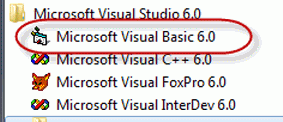
1 .At the "Start-up Menu" of our Windows Desktop, let's find where "Microsoft Visual Studio 6.0" is, and click on it. Then we can see some shortcuts to the applications of the software suite, and "Microsoft Visual Basic6.0" is one of them and it is also our "target software" right now, let's select it.

2. We now at the main screen of Visual Basic 6.0 with its "New Project" window. Let's click on the "New" tab and select "Standard EXE" icon.

3. Before we go on, let's consider the components of the toolbar of Visual Basic 6.0.  Properties window, Run and Save project are what we have to focus on now.

4 .Controls are the genius tools that can be attached by any codes that can control any events such as clicking mouse or pressing key. Now the "Command Button" and the "Label" are the controls that we are going to use.

5. Visual Basic programming begins with a form which has been named "Form1" by default. Visual Basic form simulates itself as platform which can receive many kinds of objects that created by the controls. Any object has its properties that has been shown in the properties window.

6 .Here we go on creating a design job like the following picture. 
    -  Using the "Command Button" control to draw the three sequence command buttons, Command1, Command2 and Command3.
   -  Using the "Label" control to draw the six sequence labels, Label1,
Label2, Label3, Label4, Label5 and Label6

7.Click on "Form1", we can see its properties, rename it with "frmStopWatch" (frm is a pefix which comes from "form"). And change its caption to "Stop Watch Application".

8. Click on "Command1", yes we are about to specify the properties of this object. Rename it with "cmdStart" (cmd is a prefix which comes from "command button") and also refill its caption with "&Start Timing" (& is a prefix of the key letter that a user can press on this key together with the "alt" key instead of click on this command button).

9 .Do it the same way as the previous step.


10 .Do it the same way as the previous step.

11 .Change only the captions of Label1, Label2 and Label3 according to the following picture.

12. Change the properties of the other last three labels, "Label4", "Label5" and "Label6" by renaming them to "lblStart", "lblEnd" and "lblElapsed" and erase their captions until they are blank.

13. Now we have just already designed and configured all of related objects, the next step of us is coding our program. Let's click on the menu-bar at the "View" command tab, then select the "Code" sub-command, the view-code window will show up. Yes, we are going to enter our source codes of our application here.

14. The first set of source codes is about the declarations. There will be the "(General)" at the left-top of the view-code window and the "(Declarations)" at the right-top. We have to type four lines of our following source codes.

15. This step is about attaching our source code to a control object. The "cmdStart" is a command button we are going to attach the source code. Let's double click on this command button, yes, this action could bring us to a module or subprogram that could be driven by an event, _click ( ), that means this subprogram could work when this command button was clicked on.
What is about this source code?  It begins with assigning the recent time value (Now) to the variable "StartTime".  Then the method "Caption" stipulates that the label "lblStart" can show up data from the variable "startTime" with the "hh:mm:ss:" format.

16 .This step is similar to the previous but it turns to the "cmdEnd" command button. But it creates the expression which assigns the variable "ElapsedTime" with the difference of the variable "EndTine" and the variable "StartTine".

17 .This is the end of application with the only amazing word "End"

18 .Congratulation to our tough project!. This is the output of our input and process. Yes, it is the "Stop Watch Application" of us.  

19 .We have to make our project to an independent application.  Click on the "File" command at the menubar then select the "Make..to..EXE" subcommand.   

Home Network

Home Network 


Another one I would like to refer to is "protocol". What is it? A protocol is a system of digital message formats and rules for exchanging those messages in or between computing systems and in telecommunications. And in our network we use the TCP/IP (comes from "Transmission Control Protocol and Internet Protocol). Now Thailand uses IPv4 protocol, but Thai government by Prime Minister Yingluck  Shinawatra is going to change the Internet protocol of the country with another version, IPv6 protocol, which has more capacity and efficiency of transmission. 


Because each computer of the network has its own unique "IP-address", what/how is it? As I have just told you (see, first paragraph) that the modem-router simulates itself like a server computer, sure its IPaddress must be static, e.g. (IPv4) 192.168.2.1, 192.168.1.1, 192.168.0.1 etc. , on the other hand it lets the other connected computer the dynamic/automatic IPaddress. Yes, the modem-router of the home network is the gateway to Internet.
 
Teacher's home network PC/Modem-router IPaddress Configuration
use the "IPCONFIG" command to see what/how my home PC/modem-router IPaddress configuration by typing the command at the command line of Windows and what I knows are the followings
... 192.168.2.1  is the IPaddress (IPv4) of my modem-router, Belkin brand.
... 192.168.2.3  is the IPaddress (IPv4) of my PC, configured by the modem-rounter ด้